您现在的位置是:网站首页> 编程资料编程资料
.NET中用ICSharpCode.TextEditor自定义代码折叠与高亮_实用技巧_
 2023-05-24
602人已围观
2023-05-24
602人已围观
简介 .NET中用ICSharpCode.TextEditor自定义代码折叠与高亮_实用技巧_
前言
ICSharpCode.TextEditor 是一款非常不错的.NET代码编辑控件,内置了多种高亮语言支持,同时完美支持中文,非常赞!
先来看一下运行效果:
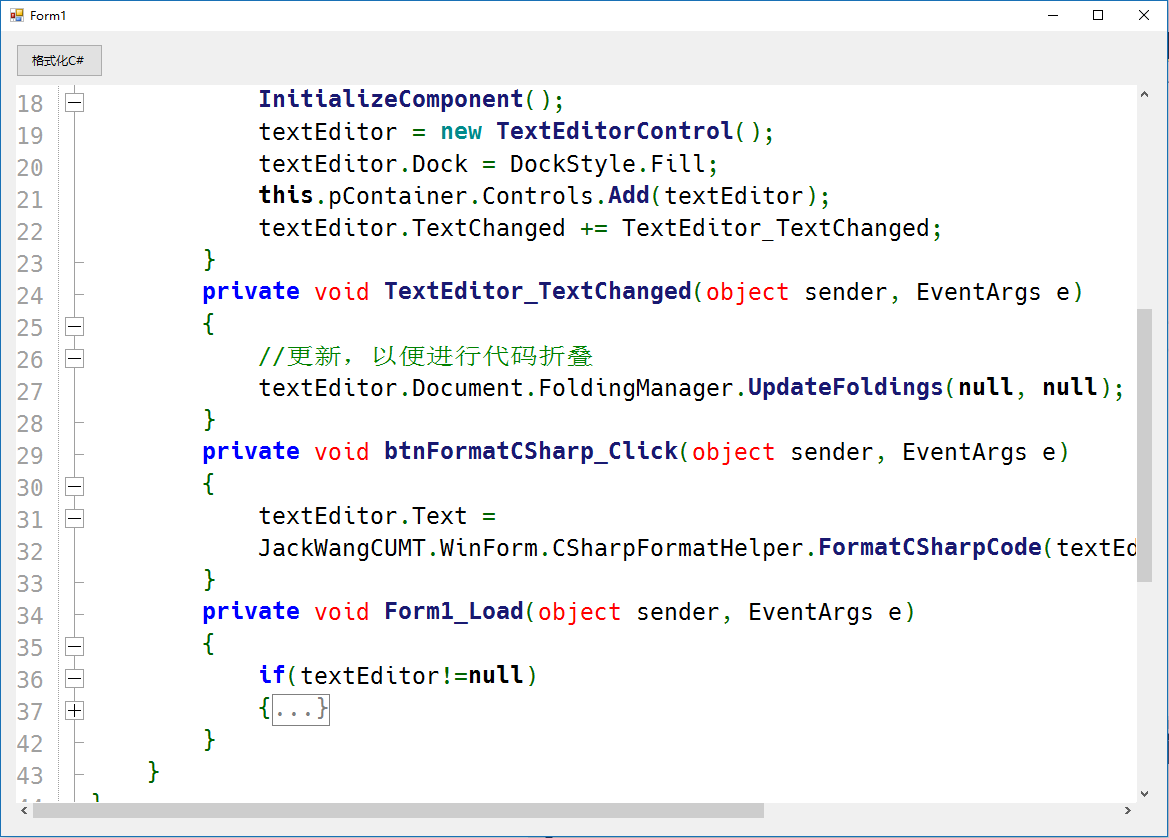
一、项目结构
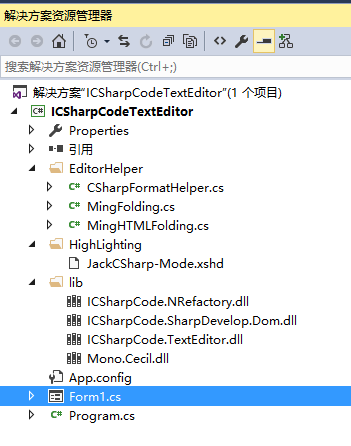
这里需要注意lib文件夹下导入的类库,这个Demo需要这些dll.
二、代码折叠
需要实现IFoldingStrategy中的 GenerateFoldMarkers 方法,代码如下:
using ICSharpCode.TextEditor.Document; using System; using System.Collections.Generic; using System.Linq; using System.Text; using System.Threading.Tasks; namespace JackWangCUMT.WinForm { /// /// The class to generate the foldings, it implements ICSharpCode.TextEditor.Document.IFoldingStrategy /// public class MingFolding : IFoldingStrategy { /// /// Generates the foldings for our document. /// /// The current document. /// The filename of the document. /// Extra parse information, not used in this sample. /// A list of FoldMarkers. public List GenerateFoldMarkers(IDocument document, string fileName, object parseInformation) { List list = new List(); //stack 先进先出 var startLines = new Stack(); // Create foldmarkers for the whole document, enumerate through every line. for (int i = 0; i < document.TotalNumberOfLines; i++) { // Get the text of current line. string text = document.GetText(document.GetLineSegment(i)); if (text.Trim().StartsWith("#region")) // Look for method starts { startLines.Push(i); } if (text.Trim().StartsWith("#endregion")) // Look for method endings { int start = startLines.Pop(); // Add a new FoldMarker to the list. // document = the current document // start = the start line for the FoldMarker // document.GetLineSegment(start).Length = the ending of the current line = the start column of our foldmarker. // i = The current line = end line of the FoldMarker. // 7 = The end column list.Add(new FoldMarker(document, start, document.GetLineSegment(start).Length, i, 57, FoldType.Region, "...")); } //支持嵌套 {} if (text.Trim().StartsWith("{")) // Look for method starts { startLines.Push(i); } if (text.Trim().StartsWith("}")) // Look for method endings { if (startLines.Count > 0) { int start = startLines.Pop(); list.Add(new FoldMarker(document, start, document.GetLineSegment(start).Length, i, 57, FoldType.TypeBody, "...}")); } } // /// if (text.Trim().StartsWith("/// ")) // Look for method starts { startLines.Push(i); } if (text.Trim().StartsWith("/// ")) // Look for method endings { int start = startLines.Pop(); //获取注释文本(包括空格) string display = document.GetText(document.GetLineSegment(start + 1).Offset, document.GetLineSegment(start + 1).Length); //remove /// display = display.Trim().TrimStart('/'); list.Add(new FoldMarker(document, start, document.GetLineSegment(start).Length, i, 57, FoldType.TypeBody, display)); } } return list; } } } 三、高亮配置
拷贝CSharp-Mode.xshd为 JackCSharp-Mode.xshd ,将其中的名字修改为: SyntaxDefinition name = "JackC#" ,并添加高亮关键字,如下:
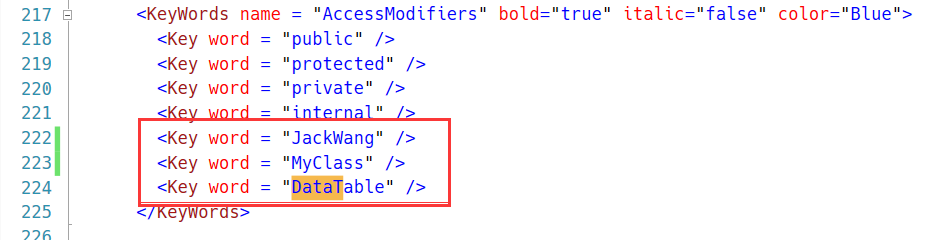
这样代码中出现的JackWang就会高亮。下面的代码片段将自定义高亮文件进行加载,并用SetHighlighting进行设置,这里一定注意目录下必须有xshd的配置文件,否则高亮将失效。
textEditor.Encoding = System.Text.Encoding.UTF8; textEditor.Font = new Font("Hack",12); textEditor.Document.FoldingManager.FoldingStrategy = new JackWangCUMT.WinForm.MingFolding(); textEditor.Text = sampleCode; //自定义代码高亮 string path = Application.StartupPath+ "\\HighLighting"; FileSyntaxModeProvider fsmp; if (Directory.Exists(path)) { fsmp = new FileSyntaxModeProvider(path); HighlightingManager.Manager.AddSyntaxModeFileProvider(fsmp); textEditor.SetHighlighting("JackC#"); }为了保持代码适时进行折叠,这里监听文本变化,如下所示:
private void TextEditor_TextChanged(object sender, EventArgs e) { //更新,以便进行代码折叠 textEditor.Document.FoldingManager.UpdateFoldings(null, null); }最后说明的是,我们可以定义一个格式化代码的类,来格式化C#代码:
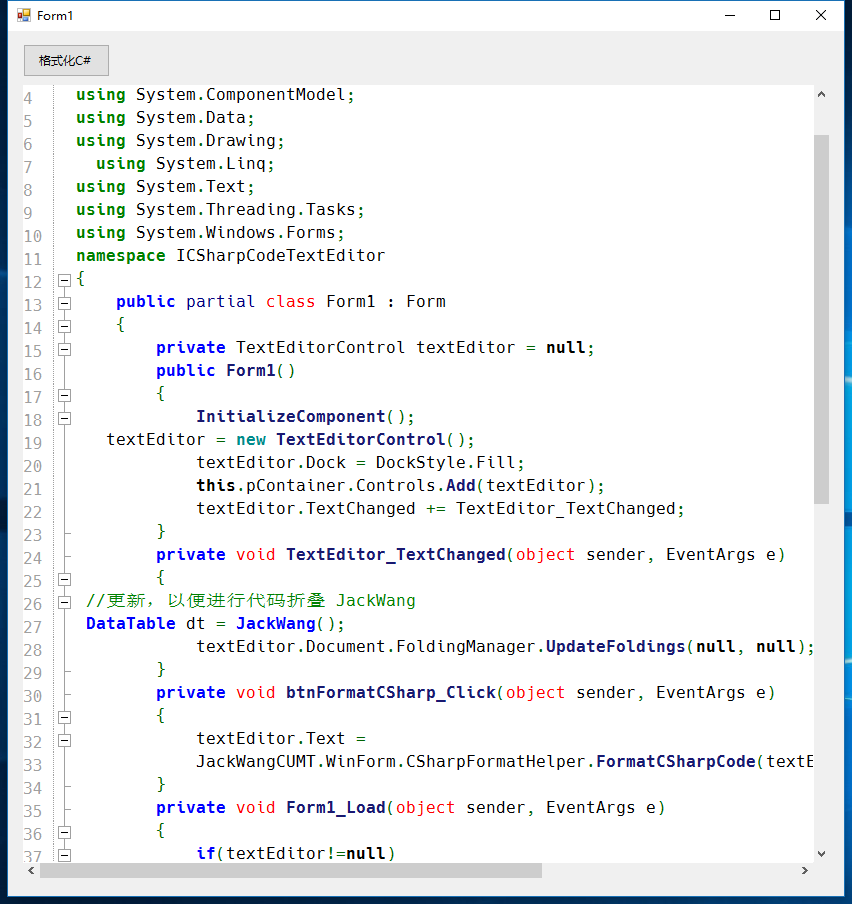
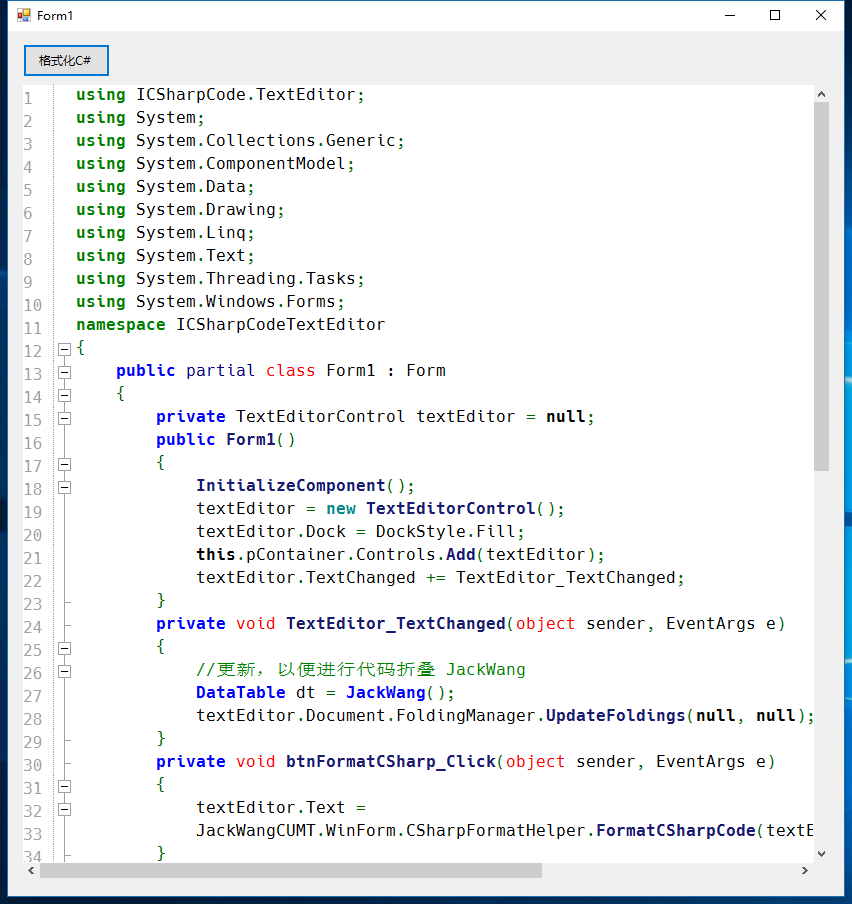
总结
以上就是这篇文章的全部内容了,希望本文的内容对大家的学习或者工作能带来一定的帮助,如果有疑问大家可以留言交流。
您可能感兴趣的文章:
相关内容
- SignalR发送页面跳转通知的方法_实用技巧_
- ASP.NET MVC 项目直接预览PDF文件_实用技巧_
- 基于ASP.NET Core数据保护生成验证token示例_实用技巧_
- ASP.NET MVC5 实现分页查询的示例代码_实用技巧_
- ASP.NET 定时器回调方法的重入_实用技巧_
- asp.net core mvc实现伪静态功能_实用技巧_
- Asp.net中Microsoft.Identity的IPasswordHasher加密的默认实现与运用_实用技巧_
- 剖析Asp.Net Web API路由系统---WebHost部署方式_实用技巧_
- asp.net System.Guid ToString五种格式_实用技巧_
- ASP.NET实现从服务器下载文件问题处理_实用技巧_